Skip to content
FansyMe Help
  • Help & Support
  • Back to FansyMe
  • EnglishExpand
    • Deutsch (German)
FansyMe Help

General Questions

  • Who can use FansyMe?
  • Is the registration free?
  • Why do I need to confirm my email?
  • Does FansyMe have an app?
  • Report Content on FansyMe
  • Report Non-Consensual Intimate Imagery
  • I have a complaint
  • Payment Processor
  • Security
    • What to Do If Your Account Is Compromised
    • Two-Factor-Authentication
  • Privacy
    • Privacy & Terms of Service

Fan Questions

  • How can I pay?
  • Is it safe to pay on FansyMe.com?
  • Why do I have to verify my age?
  • How to make a video or voice call?
  • Content not received
  • Payments
    • Wallet
    • Cancel a subscription
    • Refunds

Creator Questions

  • How do I become a creator?
  • I have signed up, what now?
  • Which subscription prices can I set?
  • How to post content?
  • Schedule Posts Automatically
  • Sharing Content
  • What are collections?
  • Co-Creator Tagging and Release Forms
  • Earnings and Payouts
    • Do I get paid in USD or EUR?
    • How can I get paid?
    • Minimum Withdrawal
    • Where is my payment?
    • Cancel Payout Request
    • Payout Percentage
    • Tax ID & TIN Requirements
    • VAT Deduction Eligibility
  • Account
    • Change Username
    • I can not login to FansyMe
    • Avatar/Header Images
    • Deleting your account
  • Privacy
    • How do I block countries from accessing my profile?
  • Streaming & Lovense
    • How to Start Live Streaming / Multistream (Desktop)
    • How to Stream & Multistream on Mobile (Easy Guide)
    • Private Video and Voice Calls
    • Live Stream Tokens Explained
    • I have camera / microphone permission problems
    • Can I play music or games?
    • How to connect your Lovense Toy
  • Shop
    • How to Add Items
    • Receiving and Shipping Orders
    • When do I get paid?
  • Promotion & Vouchers
    • How do I get more subscribers?
    • How to promote your FansyMe Account
    • Vouchers & Discounts
View Categories
  • Home
  • Docs
  • General Questions
  • Report Content on FansyMe

Report Content on FansyMe

This post is also available in: Deutsch (German)

Reporting Content or Accounts on the Site #

At FansyMe, we’re dedicated to maintaining a safe and positive environment for all users. The easiest way to report a profile, post, or message is using our built-in Report feature.

Reporting a profile #

Use this option for issues related to a user’s account or behaviour in general, such as impersonation or repeated policy violations. If you want to report specific content depicting you without your consent, see the note on NCII reports below instead.

  1. Go to the profile you want to report and tap the three-dot menu (“More”) in the top right corner.
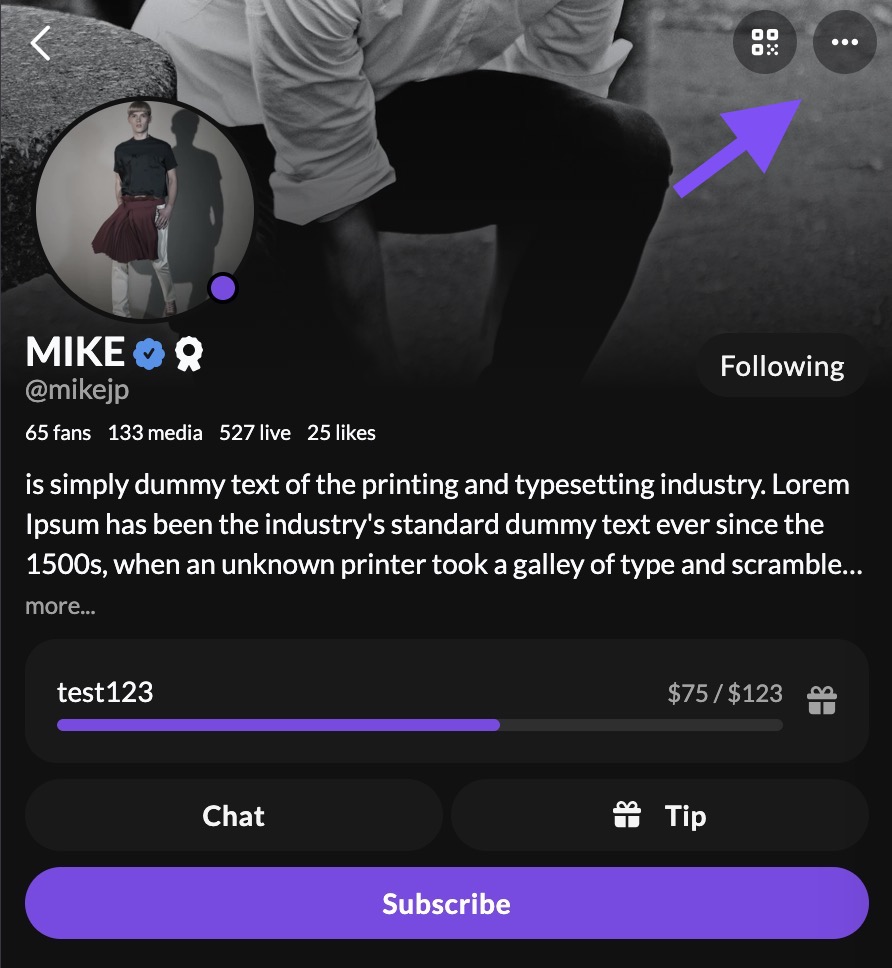
Report a User
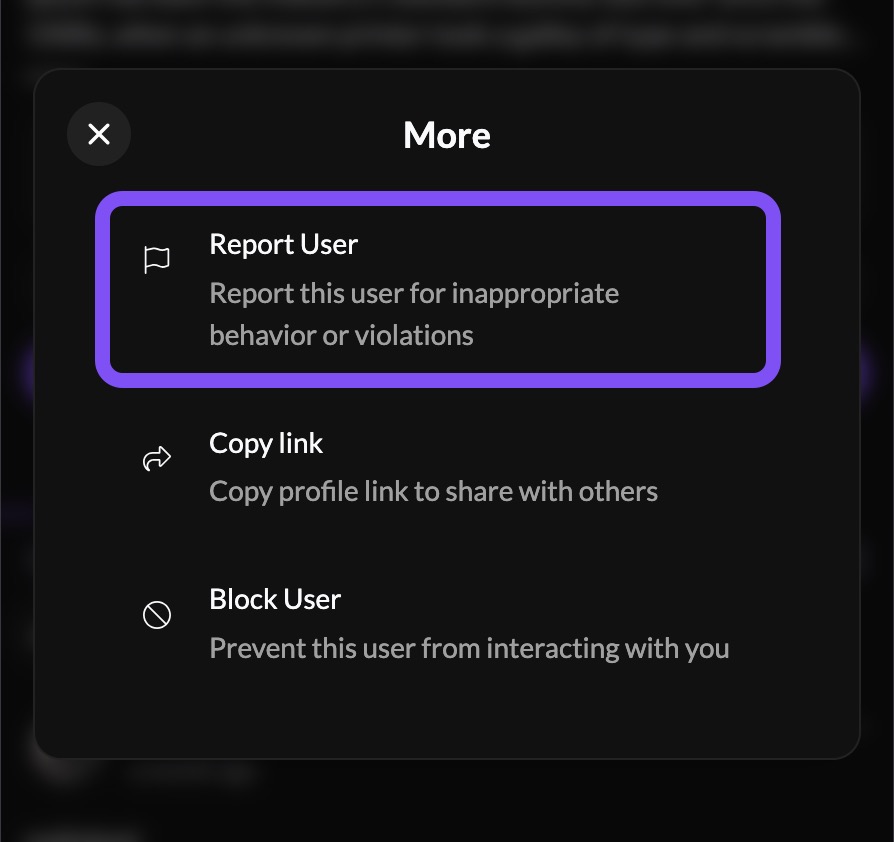
  1. Select Report User from the menu.
Select “Report User”
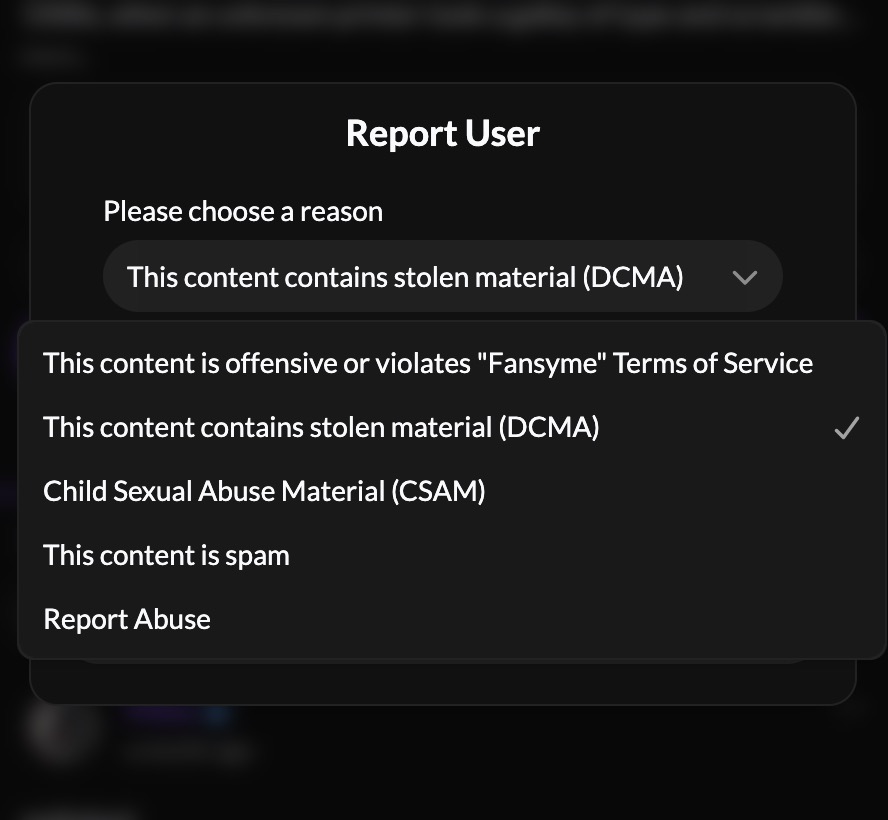
  1. Choose a reason from the dropdown.
  2. Add any details that will help our team investigate.
  3. Submit your report.
Select a reason to report this user.

Reporting a post #

  1. On the post you want to report, tap the three-dot menu in the top right corner.
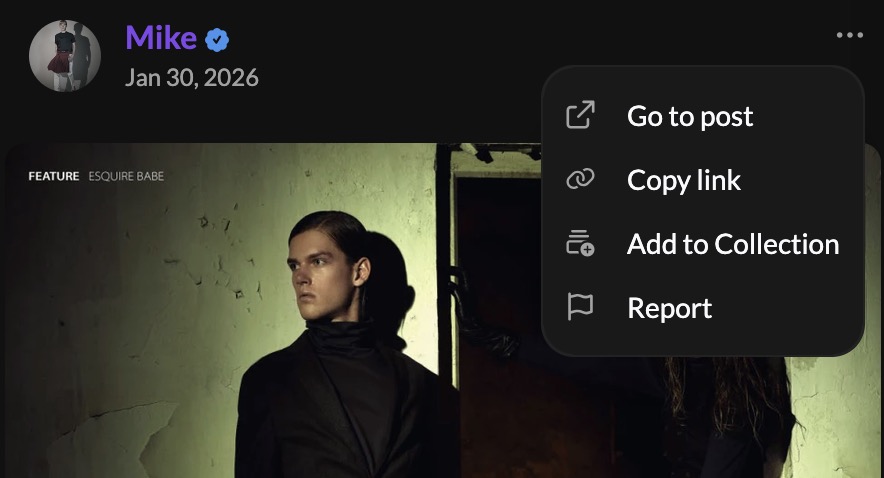
Find the 3 dots on a post and click on it.
  1. Select Report.
  2. Choose a reason from the dropdown and describe the issue (at least 20 characters).
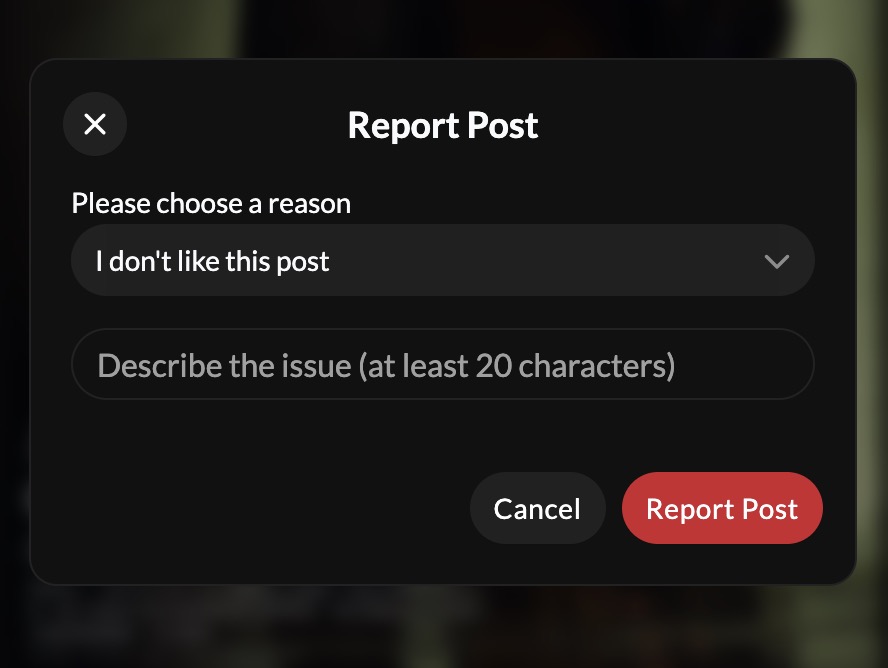
Select the reason to report the Post.

If you select “Intimate images shared without my consent (NCII)” as your reason, additional fields will appear asking for your email address and a good-faith confirmation. This option is available when reporting a specific post or message, not when reporting a profile as a whole. See our dedicated NCII reporting guide for the full process.
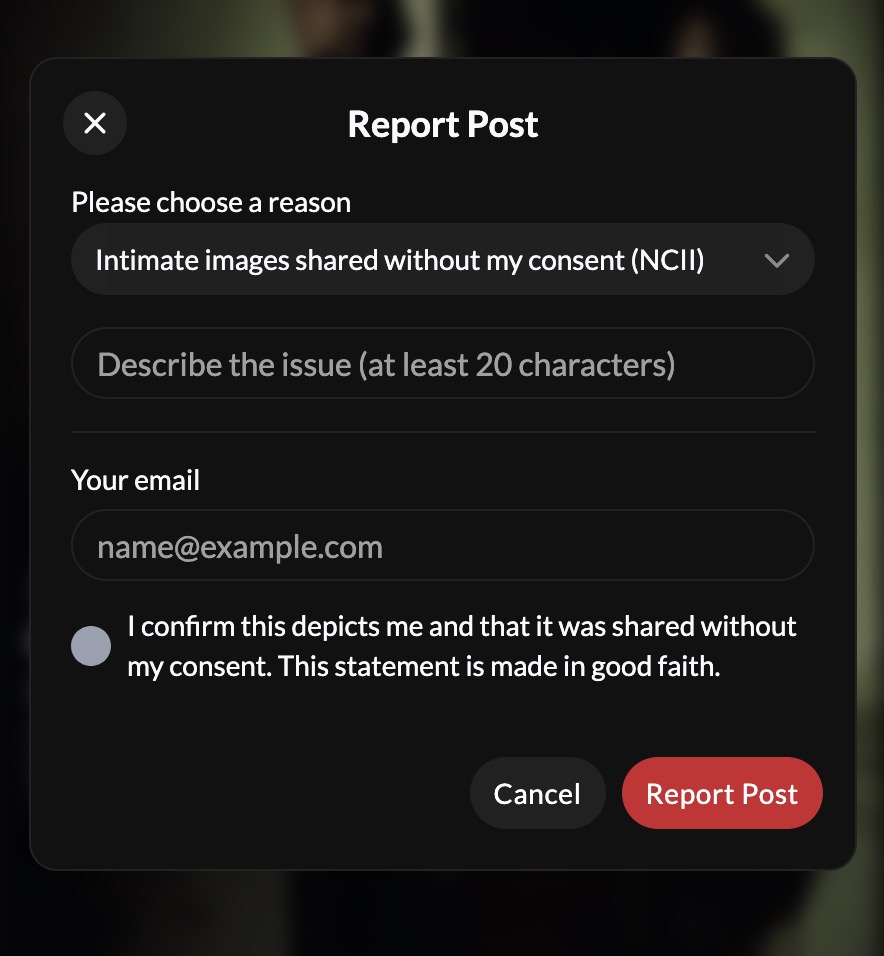
Reporting “Intimate images without my consent (NCII)” in Posts.
  1. Click Report Post to submit.

Reporting a message #

  1. In a chat, find the three-dot menu next to the message you want to report.
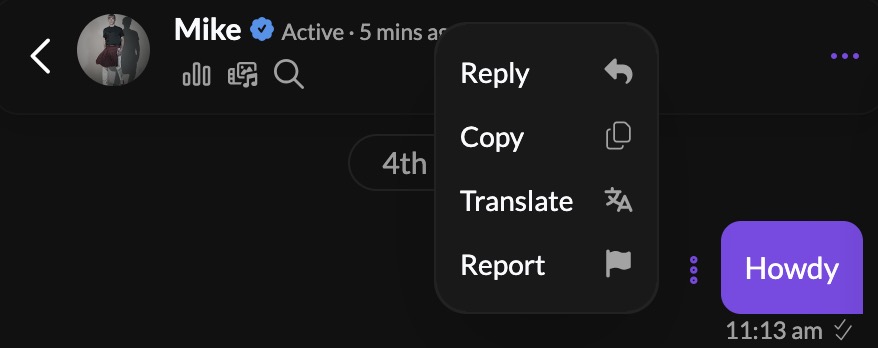
Screenshot
  1. Select Report.
  2. Choose a reason and add any relevant details.
  3. Submit your report.

Reporting by Email #

Reports can also be submitted via email to [email protected]. Be sure to include:

  • Links: Direct URL(s) to the content or profile.
  • Description: A clear explanation of the problem.
  • Reason: Why it violates the law or our Terms of Service.
  • Evidence: Any other evidence of the violation.

Our Review Process #

  1. Review. Our team reviews reports to assess whether the content violates our policies or applicable law.
  2. Resolution. If a violation is confirmed, we take appropriate action, which may include content removal, account restrictions, or reporting to authorities where required.

Reporting Intimate Imagery Posted Without Your Consent #

For content depicting you that was shared without your consent, including deepfakes or AI-generated material, please use our dedicated NCII reporting guide, which explains the process, what information we need, and how long it takes.

Important Notes #

  • Reports are confidential: the reported user will not know who submitted them.
  • While we’re not able to share ongoing investigation details, every report is reviewed by our moderation team.

Thank you for helping us keep FansyMe a safe and supportive community.

Was this helpful?
Still stuck? How can we help?

How can we help?

Updated on July 28, 2026
Does FansyMe have an app?Report Non-Consensual Intimate Imagery
Table of Contents
  • Reporting Content or Accounts on the Site
    • Reporting a profile
    • Reporting a post
    • Reporting a message
  • Reporting by Email
  • Our Review Process
  • Reporting Intimate Imagery Posted Without Your Consent
  • Important Notes
  • Terms & Services
  • Privacy Policy
  • Cookies Policy
  • Imprint
  • Contact Us
  • Help & Support
  • Back to FansyMe
  • English
    • Deutsch (German)